As I mentioned in my last entry, I haven't been able to work for the last few weeks due to a family emergency, but work has now been ramping back up, and we are shooting for a preview of the full site in 2-3 weeks time.
Chronoscope in the meantime is undergoing a heavy refactoring, both to use the GWT Exporter everywhere (instead of hand-rolled bridge functions), as well as performance fixes for the renderer (should be a lot smoother on release), and inclusion of the FontBook Renderer for rotated text. The initial release still won't have a Flash canvas renderer due to the need to work on the Timepedia site.
-Ray
Wednesday, August 1, 2007
Timepedia, Chronoscope Quick Status Update

Saturday, July 7, 2007
Sorry for the lack of updates...
I (Ray) was supposed to have started a series on modifying the GWT compiler, but I had to fly out on an emergency recently because my mother has fallen gravely ill and is intensive care and I spend most of my time at the hospital now. Everything has been delayed, the blog series, the next version of Chronoscope, the launch of Timepedia, by weeks. Sorry for the delay.
-Ray
Sunday, July 1, 2007
Top 16 missing features from iPhone
Don't get me wrong, I love my iPhone, but the following annoyances, bugs, and missing features really bother me. And for a $600 device, I expect Apple to address this in future firmwares.
1. No MMS. Inexcusable really for a modern phone. MMS isn't just about trading photos, because...
2. No ability to exchange vCard or iCal either over MMS, Email, or Bluetooth, because...
3. The iPhone doesn't appear to support vCard or iCalendar. Really, try inviting yourself to a meeting with Google Calendar and the ICS invites will show up as unusable attachments. Not the end of the world, except...
4. iPhone Mail won't properly show the HTML Invite of a Google Calendar invite! You get the subject line, and unusable attachments, and that's it. Embedding a multipart/alternative inside a multipart/mixed seems to be too much for it. So for now, you're stuck with first, checking email with Mail.app, accepting an ICS invite and getting it into your phone via iSync. Hope no one invites you to important meetings on the road.
5. Again, Bluetooth profiles supported seem pretty paultry. No dialup network tethering, no print service, no OBEX exchange, and so on.
6. VPN L2TP only supports shared secret identification and doesn't allow Machine Certificate.
7. Can't use iPhone to haul files around. You know, being able to use it as a USB drive and sync some files or use Bluetooth File Exchange would be nice, which just about every other phone supports.
8. No gestures for text selection. So, you can position the cursor, but if you need to delete a sentence or word, you have to just press the delete button a few dozen times. You can't cut/copy/paste text either. Double-tap word selection and triple-tap sentence would be nice, and would not interfere with the zooming in any application except Safari text fields.
9. no iChat, no jabber, no AIM, no bonjour, well, nothing but email and SMS. And since neither Flash nor J2ME is available, pretty much no hope of third party development of these -- except for web-based hacks which are likely to chew up battery life with HTTP traffic vs idling a TCP socket.
10. Mail application does not support full range of configuration that Mail.app does (e.g. choosing between IMAPS and STARTTLS, picking SMTP/IMAP ports, etc)
11. Landscape mode available in far too few apps. I like the landscape-mode keyboard, but it is not available in Mail, or SMS, or practically anywhere else except Safari.
12. No speed dial? Wouldn't it be nice if double-taping the home button from sleep wake would take you right into the Phone app so you could hit a speed dial number, or better yet, allow double-tap-home to be configured to go to the favorite app screen of your choice (e.g. recents?) Apple talks about how great it is that the buttons are so configurable being virtual instead of plastic, but why not let the enduser have more control over screen UI layout and macros?
13. No Flash...I know, it's coming most likely. Still, very irritating.
14. No Java (J2ME). The iPhone eats up 500M of RAM for the OS, and he says Java is a hog? With J2ME today, on many phones, you can send/receive SMS from Java code, you can open sockets, you can open bluetooth connections, you can access the file system, you can control the camera, record sound, play video, access PIM databases, make accelerated 3D rendering calls, access accelerated 2D sprite/tile logic, the list goes on. I am onboard with the AJAX programming model, great, but AJAX alone can't cover all application classes, unless they massively embellish the Safari JavaScript API to attain feature parity with the various J2ME JSRs.
15. If no Java, then come up with an Objective-C secure sandboxed alternative that allows more access to native iPhone widgets. AJAX developers can't achieve a seemless native-look-and-feel by using HTML rendering, because the iPhone native widgets are relying on Core Animation as well as access to native data. A Java or Obj-C layer could. A Javascript layer cool, if, and I mean, *IF* Apple put serious work into extending the Dashcode API to encompass a hell of alot more functionality than they do today. Without Flash and without Java, even something as simply as writing a game with sound effects becomes hard. I guess the only alternative is to load up a bunch of quicktime objects into the webpage. Sheesh.
16. Last, but not least, Mobile Safari and AJAX. Yeah, it's the 'full web', right? Not exactly.
a) Safari chews up mousedown, mousemove, mouseup, and other DOM events before the browser gets them to implement scrolling and zooming. So, for example, maps.google.com scrolling doesn't work on iPhone. Great, they have a native app that deals with scrolling and zooming already on the iPhone, but what about other web pages that need these events?
b) Any element or frame with overflow: scroll is treated as overflow: clip. That is, with the exception of top level window, you cannot have scrollable regions anywhere else within a page. Safari has no concept of 'focused' scrolling. You'd expect that if you tap an embedded FRAME/IFRAME/DIV and it had scrollbars, that you could scroll them by dragging your finger. Ooopps! They obviously need a mechanism to support scrolling when there are multiple scrollable regions. And the response cannot be 'well, only browse pages designed for iPhone in the first place!' because that's the WAP "mobile Web" argument, which Steve Jobs himself has ridiculed. I want the FULL web experience on my iPhone.
c) Safari should let the browser DOM event handlers get fit dibs at the event. If they call event.preventDefault(), it should CANCEL the default finger-drag-scrolls-whole-window. Would this allow some poorly designed web pages to disable zoom and scroll? Yep.
The iPhone is a magnificent phone. But I feel it is much like the PlayStation 3 - about the same price, underdeveloped firmware, and lacking third party support. A year later, the PS3 firmware has added DLNA, background downloads, enhanced RGB, BluRay, new AVC codecs, Folding@Home, and lots of other features.
Let's hope that the iPhone's lack of features is not a conscious decision to eschew those features, but merely the result of rushed deadlines to get a stable device out before they could finish every feature in their roadmap.
-Ray
Saturday, June 30, 2007
Chronoscope on iPhone: It works! Sorta...
Rendering works fine, but navigation doesn't. The iPhone doesn't seem to give mouse move DOM events to elements, focused or not, so no matter how you drag in the browser window, you can't capture the mouse drag/move event before the iPhone Safari handles it. Bummer. I tried Chronoscope, Dojo Toolkit, GWT demos, Google Maps (maps.google.com), all have the same issues with mouse dragging.
Update: Here's code go enable mousemove events on iPhone
function init() {
var drag = document.getElementById("drag");
drag.addEventListener("mousemove", moveme, true);
drag.addEventListener("click", function(evt)
{ evt.preventDefault(); }, false);
}
<span id="drag" style="-khtml-user-drag:element;">Drag Me</span>
I don't know if the style attribute is needed, this is just what I was able to get working. The mousemove event appears, but only as a result of a click, not a drag.
-Ray
Saturday, June 9, 2007
GWT Demystified: Generators Part 3, Meet the Oracle
In the Matrix movies, the Oracle told Neo exactly what he needed to hear. In this GWT Demystified, we'll explore TypeOracle(s) and what they need to tell Generators.
Recall from Part 2 of this series, that we created an interface called Exportable, and told GWT that whenever GWT.create(Exportable) is called, to execute our generator on the class.
Let's look at the guts of the generator code:
package org.timepedia.exporter.rebind;
import com.google.gwt.core.ext.Generator;
import com.google.gwt.core.ext.GeneratorContext;
import com.google.gwt.core.ext.TreeLogger;
import com.google.gwt.core.ext.UnableToCompleteException;
public class ExporterGenerator extends Generator {
public String generate(TreeLogger logger, GeneratorContext ctx,
String requestedClass)
throws UnableToCompleteException {
ClassExporter classExporter = new ClassExporter(logger, ctx);
String generatedClass = classExporter.exportClass(requestedClass);
return generatedClass;
}
}
Generators by convention are not placed in the .client package, nor .public or .server, but in a package called .rebind. They are compile time Java code, not client side Javascript, nor run-time servlet code. Generators must extend Generator and override the generate(logger, context, requestedClass) method.
TreeLogger is just a logging interface for compiler diagnostics, GeneratorContext allows access to compile time state, and the requested class is the fully qualified classname of the class that was passed to GWT.create().
In my implementation, I store this call state on another class for convenience, let's take a look at my ClassExporter.
package org.timepedia.exporter.rebind;
import com.google.gwt.core.ext.TreeLogger;
import com.google.gwt.core.ext.GeneratorContext;
import com.google.gwt.core.ext.UnableToCompleteException;
import com.google.gwt.user.rebind.SourceWriter;
import com.google.gwt.user.rebind.ClassSourceFileComposerFactory;
import java.util.ArrayList;
import java.util.HashMap;
import java.util.HashSet;
import java.io.PrintWriter;
/**
* This class performs the generation of export methods for a single class
*
* @author Ray Cromwell <ray@timepedia.org>
*/
public class ClassExporter {
private TreeLogger logger;
private GeneratorContext ctx;
private ExportableTypeOracle xTypeOracle;
private SourceWriter sw;
private ArrayList<JExportableClassType> exported;
private HashSet<String> visited;
private static final String ARG_PREFIX = "arg";
public ClassExporter(TreeLogger logger, GeneratorContext ctx) {
this(logger, ctx, new HashSet<String>());
}
public ClassExporter(TreeLogger logger, GeneratorContext ctx,
HashSet<String> visited) {
this.logger = logger;
this.ctx = ctx;
// a type oracle that can answer questions about whether types are
// exportable
xTypeOracle = new ExportableTypeOracle(ctx.getTypeOracle(), logger);
// globally, classes that have already been exported by the current generator
this.visited = visited;
// classes exported by *this* ClassExporter instance
exported = new ArrayList<JExportableClassType>();
}
Now, this looks more meaty. Before I can start to explain this code, I need to
explain the GeneratorContext.
Interfacing to the compiler
In order to get anything done with generators, you need to access some of the compiler's internal state, and you need to be able to generate source code. The GeneratorContext entry provides the ability to get Oracles, as well as create source code files on disk.
What's an Oracle? Think of it as the compile time analog of Java Reflection or Sun's Mirror API. In particular, the TypeOracle returned by GeneratorContext.getTypeOracle() is a pretty close analog to java.lang.Reflect introspection. You can query for classes, their fields, methods, return values, parameters, superclasses, subclasses, etc.
The GeneratorContext also exposes a tryCreate() method that allows one to create Java source files on disk, giving a PrintWriter in return. It returns null if the code has already been generated (generators may be invoked more than once), which is your signal to exit early. In practice, you usually don't use tryCreate() directly, but use helper classes which I'll explain shortly.
We create a class called ExportableTypeOracle whose job it is to answer questions about Exportable types, such as which methods are exportable, which parameters are exportable, what's the JavaScript name of a particular method going to be, etc.
Creating source files
Let's look at the main function, paired down a little bit:
/**
* This method generates an implementation class that implements Exporter
* and returns the fully qualified name of the class.
*
* @param requestedClass
* @return qualified name of generated Exporter class
* @throws UnableToCompleteException
*/
public String exportClass(String requestedClass)
throws UnableToCompleteException {
// JExportableClassType is a wrapper around JClassType
// which provides only the information and logic neccessary for
// the generator
JExportableClassType requestedType =
xTypeOracle.findExportableClassType(requestedClass);
// add this so we don't try to recursively reexport ourselves later
exported.add(requestedType);
visited.add(requestedType.getQualifiedSourceName());
if (requestedType == null) {
logger.log(
TreeLogger.ERROR, "Type '"
+ requestedClass + "' does not implement Exportable", null
);
throw new UnableToCompleteException();
}
// get the name of the Java class implementing Exporter
String genName = requestedType.getExporterImplementationName();
// get the package name of the Exporter implementation
String packageName = requestedType.getPackageName();
// get a fully qualified reference to the Exporter implementation
String qualName =
requestedType.getQualifiedExporterImplementationName();
sw = getSourceWriter(
logger, ctx, packageName,
genName, "Exporter");
if (sw == null) {
return qualName; // null, already generated
}
So we look up our class in the ExportableTypeOracle. If you get null, it means the class isn't Exportable. We then ask for an implementation class name ("Foo" yields class "FooExporterImpl implements Exporter") We then ask getSourceWriter to
create such a class for us on disk and return a Writer. Let's look at that method:
/**
* Get SourceWriter for following class and preamble
* package packageName;
* import com.google.gwt.core.client.GWT;
* import org.timepedia.exporter.client.Exporter;
* public class className implements interfaceName (usually Exporter) {
*
* }
*
* @param logger
* @param context
* @param packageName
* @param className
* @param interfaceNames vararg list of interfaces
* @return
*/
protected SourceWriter getSourceWriter(
TreeLogger logger, GeneratorContext context,
String packageName, String className, String... interfaceNames) {
PrintWriter printWriter = context.tryCreate(
logger, packageName, className
);
if (printWriter == null) {
return null;
}
ClassSourceFileComposerFactory composerFactory =
new ClassSourceFileComposerFactory(packageName, className);
composerFactory.addImport("com.google.gwt.core.client.GWT");
for (String interfaceName : interfaceNames) {
composerFactory.addImplementedInterface(interfaceName);
}
composerFactory.addImport("org.timepedia.exporter.client.Exporter");
return composerFactory.createSourceWriter(context, printWriter);
}
Here we use helper classes provided by GWT to create a class with a given packageName and className. We add imports, add interfaces, and then create a SourceWriter to write to the PrintWriter. SourceWriter differs primarily from PrintWriter in that it can keep track of indent level, and indent generated code.
The rest of the exportClass method looks like this:
sw.indent();
// here we define a JSNI Javascript method called export0()
sw.println("public native void export0() /*-{");
sw.indent();
// if not defined, we create a Javascript package hierarchy
// foo.bar.baz to hold the Javascript bridge
declarePackages(requestedType);
// export Javascript constructors
exportConstructor(requestedType);
// export all static fields
exportFields(requestedType);
// export all exportable methods
exportMethods(requestedType);
// add map from TypeName to JS constructor in ExporterBase
registerTypeMap(requestedType);
sw.outdent();
sw.println("}-*/;");
sw.println();
// the Javascript constructors refer to static factory methods
// on the Exporter implementation, referenced via JSNI
// We generate them here
exportStaticFactoryConstructors(requestedType);
// finally, generate the Exporter.export() method
// which invokes recursively, via GWT.create(),
// every other Exportable type we encountered in the exported ArrayList
// ending with a call to export0()
genExportMethod(requestedType, exported);
sw.outdent();
sw.commit(logger);
// return the name of the generated Exporter implementation class
return qualName;
}
This article is too big to delve into every one of this methods, so I will explain just one: exportFields, but first, you will finally have to meet the TypeOracle.
The Oracle that tells you exactly what you need
I created a helper class called ExportableTypeOracle that answers only the questions relevent for my generator:
package org.timepedia.exporter.rebind;
import com.google.gwt.core.ext.typeinfo.*;
import com.google.gwt.core.ext.TreeLogger;
public class ExportableTypeOracle {
private TypeOracle typeOracle;
private TreeLogger log;
static final String EXPORTER_CLASS =
"org.timepedia.exporter.client.Exporter";
static final String EXPORTABLE_CLASS =
"org.timepedia.exporter.client.Exportable";
private JClassType exportableType = null;
private JClassType jsoType = null;
private JClassType stringType = null;
public static final String GWT_EXPORT_MD = "gwt.export";
private static final String GWT_NOEXPORT_MD = "gwt.noexport";
public static final String JSO_CLASS =
"com.google.gwt.core.client.JavaScriptObject";
private static final String STRING_CLASS = "java.lang.String";
private static final String GWT_EXPORTCLOSURE = "gwt.exportClosure";
public ExportableTypeOracle(TypeOracle typeOracle, TreeLogger log) {
this.typeOracle = typeOracle;
this.log = log;
exportableType = typeOracle.findType(EXPORTABLE_CLASS);
jsoType = typeOracle.findType(JSO_CLASS);
stringType = typeOracle.findType(STRING_CLASS);
assert exportableType != null;
}
public JExportableClassType findExportableClassType(String requestedClass) {
JClassType requestedType = typeOracle.findType(requestedClass);
if (requestedType != null) {
if (requestedType.isAssignableTo(exportableType)) {
return new JExportableClassType(this, requestedType);
}
}
return null;
}
The first method needed is findExportableClassType. Given a request like "org.foo.bar.MyClass", it looks this type up in the underlying TypeOracle via findType(), and if found, it checks to see if the JClassType that is returned can be assigned to org.timepedia.exporter.client.Exportable. If so, this class is deemed Exportable, and it returns a wrapper around JClassType that can answer more questions about fields, methods, etc.
package org.timepedia.exporter.rebind;
import com.google.gwt.core.ext.typeinfo.JClassType;
import com.google.gwt.core.ext.typeinfo.JField;
import com.google.gwt.core.ext.typeinfo.JMethod;
import com.google.gwt.core.ext.typeinfo.JConstructor;
import java.util.ArrayList;
public class JExportableClassType implements JExportable, JExportableType {
private ExportableTypeOracle exportableTypeOracle;
private JClassType type;
private static final String IMPL_EXTENSION = "ExporterImpl";
public JExportableClassType(ExportableTypeOracle exportableTypeOracle,
JClassType type) {
this.exportableTypeOracle = exportableTypeOracle;
this.type = type;
}
public JExportableField[] getExportableFields() {
ArrayList<JExportableField> exportableFields =
new ArrayList<JExportableField>();
for (JField field : type.getFields()) {
if (ExportableTypeOracle.isExportable(field)) {
exportableFields.add(new JExportableField(this, field));
}
}
return exportableFields.toArray(new JExportableField[0]);
}
For brevity, I only show the getExportableFields() method. This method enumerates over the real ClassType.getFields() method, and for each JField entry, asks the ExportableTypeOracle if it is exportable or not. If so, it creates another wrapper around JField called JExportableField and adds it to the returned results.
But what makes a field exportable?
public static boolean isExportable(JField field) {
return field.isStatic() &&
field.isPublic() &&
field.isFinal() &&
( isExportable(field.getMetaData(GWT_EXPORT_MD)) ||
( isExportable(field.getEnclosingType()) &&
!isNotExportable(
field.getMetaData(GWT_NOEXPORT_MD))));
}
A field is exportable if and only if it is: 1) "public static final", 2) it has a @gwt.export annotation OR its class has a @gwt.export annotation and the field does not have a @gwt.noexport annotation.
Finally, let's look at the exportFields() method.
/**
* For each exportable field Foo, we generate the following Javascript:
* $wnd.package.className.Foo = JSNI Reference to Foo
*
* @param requestedType
* @throws UnableToCompleteException
*/
private void exportFields(JExportableClassType requestedType)
throws UnableToCompleteException {
for (JExportableField field : requestedType.getExportableFields()) {
sw.print("$wnd." + field.getJSQualifiedExportName() + " = ");
sw.println("@" + field.getJSNIReference() + ";");
}
}
Self-explanatory except for the getJSQualifiedExportName() and getJSNIRefernece(). The former method will return the JavaScript package + JavaScript constructor + exported name of the field. So for a field "FOO" on class "org.foo.Bar", this string might be "org.foo.Bar.FOO" if none of the exported names were overriden with an annotation.
The getJSNIReference() function will return a string like "org.foo.Bar::FOO" to reference to the public static final field of that class.
Finally, when done generating, you call SourceWriter.commit(logger), and return the name of the class you generated.
That about wraps up this edition of GWT Demystified. The GWT Exporter source and module is now available on http://code.google.com/p/gwt-exporter
-Ray
Thursday, June 7, 2007
GWT Demystified: Generators Part Deux
In the last part, I described what generators are and what they can be used for. In this post, I'll be explaining how I used them to build the GWT Exporter.
GWT Exporter
The first step is to decide what your generator is going to do. In my case, I want the generator to introspect one of my GWT classes, and generate an exported JS API with bridge methods.
What's a bridge method?
Imagine you have the following GWT Class:
package org.foo.bar;
public class Util {
public static String doSomethingUseful(int x) {
return "Hello "+x;
}
}
And you want to allow JS users to call the doSomethingUseful() function?
Today, you would use JSNI to export 'bridge methods' like so:
package org.foo.bar;
public class Util {
public static String doSomethingUseful(int x) {
return "Hello "+x;
}
public native void export() /*-{
$wnd.doSomethingUseful = function(x) {
@org.foo.bar.Util::doSomethingUseful(I)(x);
}-*/;
}
}
$wnd stands for the top-level window object, and by assigning to its doSomethingUseful property, you ensure GWT won't obfuscate it. The JSNI call to Util.doSomethingUseful will be obfuscated however, thus the bridge method is neccessary to export the obfuscated symbol.
It gets more complicated if you want to bridge a non-static function, but here's an example:
public class Employee {
private String firstName, lastName;
public Employee(String firstName, String lastName) {
this.firstName = firstName;
this.lastName = lastName;
}
public String getFirstName() {
return firstName;
}
public String getLastName() {
return getLastName;
}
public static Employee createEmployee(String firstName,
String lastName) {
return new Employee(firstName, lastName);
}
public native void export() /*-{
$wnd.Employee = function(firstName, lastName) {
// call factory method and store GWT reference
this.instance =
@org.foo.bar.Employee::createEmployee(Ljava/lang/String;
Ljava/lang/String)(firstName, lastName);
}
var _=$wnd.Employee.prototype;
_.getFirstName = function() {
this.instance.@org.foo.bar.Employee::getFirstName()();
}
_.getLastName = function() {
this.instance.@org.foo.bar.Employee::getLastName()();
}
}-*/;
}
Which you may use as
x = new Employee('Ray', 'Cromwell');
alert(x.getFirstName());
As you can see, manual bridging gets tedious!
Generators to the rescue!
The first step in implementing a generator is to decide on a type that will be used to trigger the generator. So let's introduce a new marker interface called 'Exportable'. We also want the generated class to implement the Exporter interface, primarily, the export() method.
Here they are:
package org.timepedia.exporter.client.Exportable;
public interface Exportable {
}
public interface Exporter {
public void export();
}
Simple eh? Next we'll add the following line to our GwtExporter.gwt.xml module file:
<generate-with
class="org.timepedia.exporter.rebind.ExporterGenerator">
<when-type-assignable
class="org.timepedia.exporter.client.Exportable"/>
</generate-with>
What does this mean?
It means that when GWT.create() is invoked with a type that can be assigned to an Exportable, invoke the generator. That is, we want to write
public class Employee implements Exportable { ... }
Exporter x=(Exporter)GWT.create(Employee.class);
x.export();
and have it invoke the generator.
Specifying what gets exported
Next we have to decide on the rules for exporting. Which methods of an Exportable get exported? How do we control the generated JS namespace? etc. For now, let's settle on the following logic -- a method is exportable IF and ONLY IF:
- The class enclosing the method implements Exportable
- Metadata has determined it's ok to export (more on this later)
- a primitive type (int, float, etc)
- another Exportable
- an immutable JRE type (String, Integer, Double, etc)
- JavaScriptObject
GWT has its own form of annotations similar to JavaDoc/XDocLet tags. We will use this to control export policy. We will support two forms of export policy:
- White List
- By default, nothing exported.
- Each method to be exported must have a "@gwt.export" metadata annotation
- Black List
- Place "@gwt.export" on class itself (in JavaDoc for class)
- By default, all public methods exported
- Each method to be removed from export consideration tagged with "@gwt.noexport"
As an example:
package org.foo.bar;
/**
* @gwt.export
* @gwt.exportPackage examples
*/
public class Employee implements Exportable {
private String firstName, lastName;
public Employee(String firstName, String lastName) {
this.firstName = firstName;
this.lastName = lastName;
}
public String getFirstName() {
return firstName;
}
/**
* @gwt.noexport
*/
public String getLastName() {
return getLastName;
}
and uses black-list policy to export getFirstName() but supress the export of getLastName(); Using white-list policy, you would write:
package org.foo.bar;
/**
* @gwt.exportPackage examples
*/
public class Employee implements Exportable {
private String firstName, lastName;
/**
* @gwt.export
*/
public Employee(String firstName, String lastName) {
this.firstName = firstName;
this.lastName = lastName;
}
/**
* @gwt.export
*/
public String getFirstName() {
return firstName;
}
public String getLastName() {
return getLastName;
}
to achieve the same effect.
At this time, we are not considering function overloading.
This concludes the specification process, and part 2. Coming up: Part 3, the guts of the generator implementation.
-Ray
GWT Canvas: Rendering rotated text
Chronoscope operates on a Canvas abstraction in GWT. Think of it as a mirror of the Safari Javascript Canvas API, with extensions for text rendering, reading back coordinate transforms, layers, fast-clear, and frame/display list capture.
A typical bit of Chronoscope Canvas code will look like:
Canvas canvas = getCanvas();
canvas.beginFrame();
Layer layer = canvas.getLayer("foo");
layer.setStrokeColor(Color.black);
layer.moveTo(sx,sy);
layer.lineTo(ex, ey);
layer.stroke();
Layer textLayer = canvas.getLayer("bar");
textLayer.setStrokeColor(Color.red);
textLayer.drawText("Hello World", x, y,
gssProperties);
canvas.endFrame();
The begin/end frame abstraction permits capture of display list for faster rendering (Opera lockCanvas), as well as shipping a scenegraph to Flash, Silverlight, or SVG. Layers permit compositing and fast-clear.
Rendering Text
Users of Javascript Canvas dream of support for text rendering. For some unknown reason, Apple (who has awesome text rendering capability in the Quartz canvas) left it out. This has forced many developers to roll their own text rendering, until the day when everyone supports the WHATWG Canvas.
Some of the typical hacks used to get text rendering include:
- Placing DIV tags over the Canvas with text
- Using pre-rendered or on-the-fly server-rendered images
- Extracting glyph vectors from true type fonts, sending them encoded to the browser, and rendering them with Canvas moveto/lineto calls.
The latter two options are the only ones capable of dealing with rotated text.
Chronoscope uses the first solution, even for rotated text, however the individual letters do not get rotated, leading to ugliness. The existing Chronoscope demo shows this on the vertical axis chart labels. Fast-clear comes into play when I want to redraw. I can blow away dozens of hundreds of DIV tags with something like "layerElem.innerHTML=''".
GWT1.4 ClippedImage and FontBook Rendering
I recently began experimenting with the idea of rendering an entire font at the desired 2D transformation and font-properties, and then using GWT1.4 ClippedImage to render letters.
A few hours later, I have an implementation that exceeded my wildest dreams in quality, here's how I did it:
- Create a GWT RPC Service called getFontMetrics(transform, fontProperties, color)
- Servlet calculates FontMetrics (ascent, descent, leading, advance, etc) for first 256 characters of the Font (most European languages)
- Returned metrics includes a URL to a generated font book
- FontRenderer servlet renders 16x16 array of characters with specified transform, color, font, etc
- new drawTransformedText() method of Canvas first renders according to the old "ugly" method mentioned above and kicks off RPC and Image load
- On load completed, "ugly" transformed text replaced with text rendered with clipped characters from the font book image
Devil's in the drawTransformedText() details
So how does this method work? The server returns a 256-element array of advance values (essentially character width), along with maxAscent, maxDescent, and leading obtained from Java2D FontMetrics. The returned RenderedFontMetrics RPC object has a method called 'getBounds(char c, Bounds b)' that for any character, returns a clipping bounding box into the second argument (avoiding excessive object creation in the main loop), which is the position of the rendered character in the font book image.
The main loop essentially obtains the bounding box for each character to be drawn, creates a ClippedImage that will display it, and positions the IMG tag along the font-baseline according to the current transform (coordinate system). It uses the 'advance' values for each character to know how far along the baseline to place each successive clipped image.
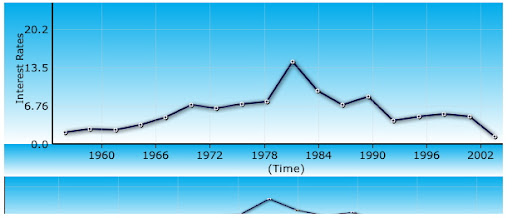
Screen Shot
Performance
Font Books can be cached, and rendering a font book on the server takes about 10 milliseconds. The resulting image is about 20kb. After that, text rendering performance is pretty much the same as the old "ugly" DIV method.
Caveats
BIDI not supported. Non-ISO-8859 character sets a pain. The issue is, I can't very well send down font-book with 65k characters. However, statistics are on our side. For example, in a language like Chinese, you'll find that most people only use a few thousand characters in day to day use.
We can compute a histogram on a corpus of Chinese text, and render a fontbook containing the most used characters in descending order. We can render several such tiles, in a monotonically descending fashion, on-demand, and cache them. In most applications, you'll probably infrequently request the second-tier characters, and very very infrequently request characters 3 standard deviations away.
Once Chronoscope is out in the wild, I hope some non-ISO-8859-1 native speakers will help contribute improved fontbook rendering for CJK characters and other languages.
p.s. I'll post a demo up on timepedia.org later, after I can verify all of the code is working properly, since I also moved the code base from 1.3 to 1.4.
-Ray
Subscribe to:
Posts (Atom)
